For iPhone and Apple Watch · free

Mamalog

Breastfeeding and sleep log

One tap to start, one tap to stop – even at night with one hand. Mamalog keeps track of when and on which side you fed, how much your baby drank from the bottle and how long your baby sleeps, and shows at a glance how long ago the last feeding was.

Mamalog app icon: a cream drop with a heart on sage green
  • No account
  • No ads
  • No tracking
  • Data stays in your private iCloud
Features

Made for the middle of the night

One big button, dimmed colors and no more than two taps to start. Start and stop wherever suits you – in the app, on your watch, from the Lock Screen or with Siri.

iPhone

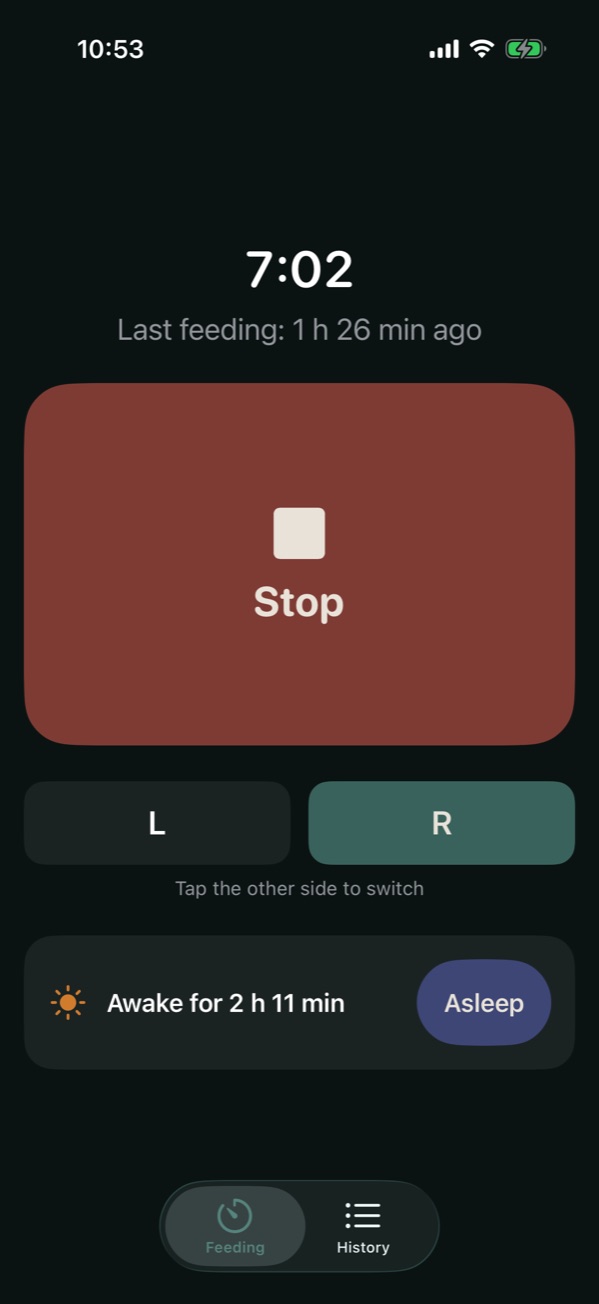
  • Big start/stop button with a running timer
  • Switch sides with one tap, with a suggestion for next time
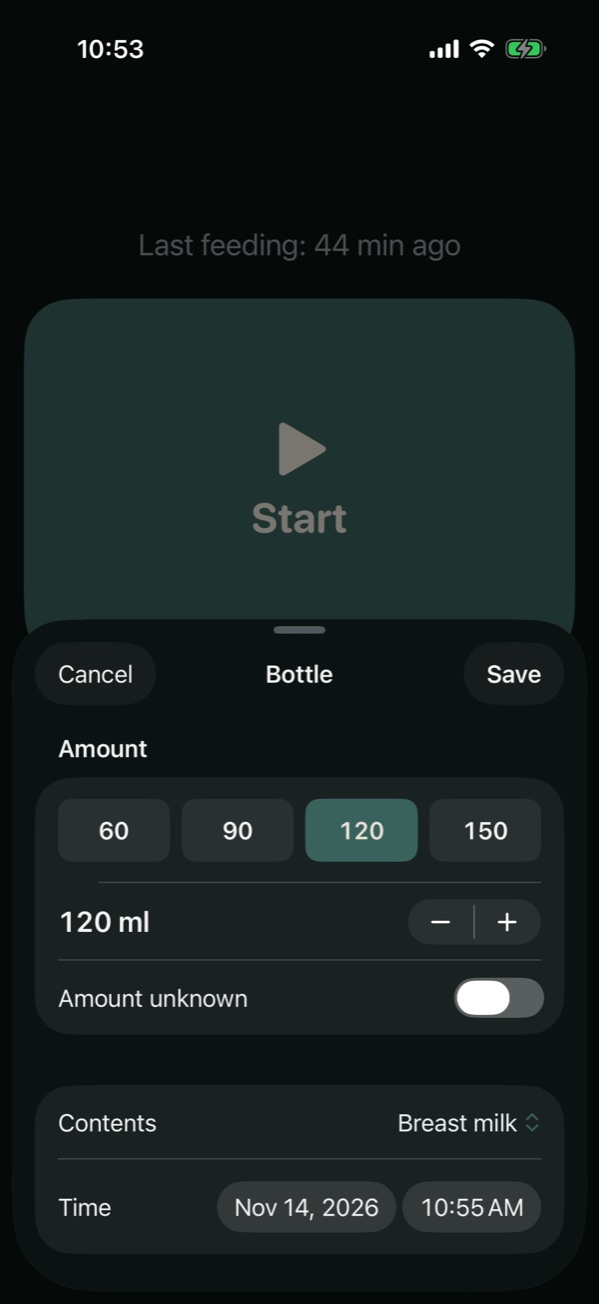
  • Bottles with amount and contents – or “Amount unknown”
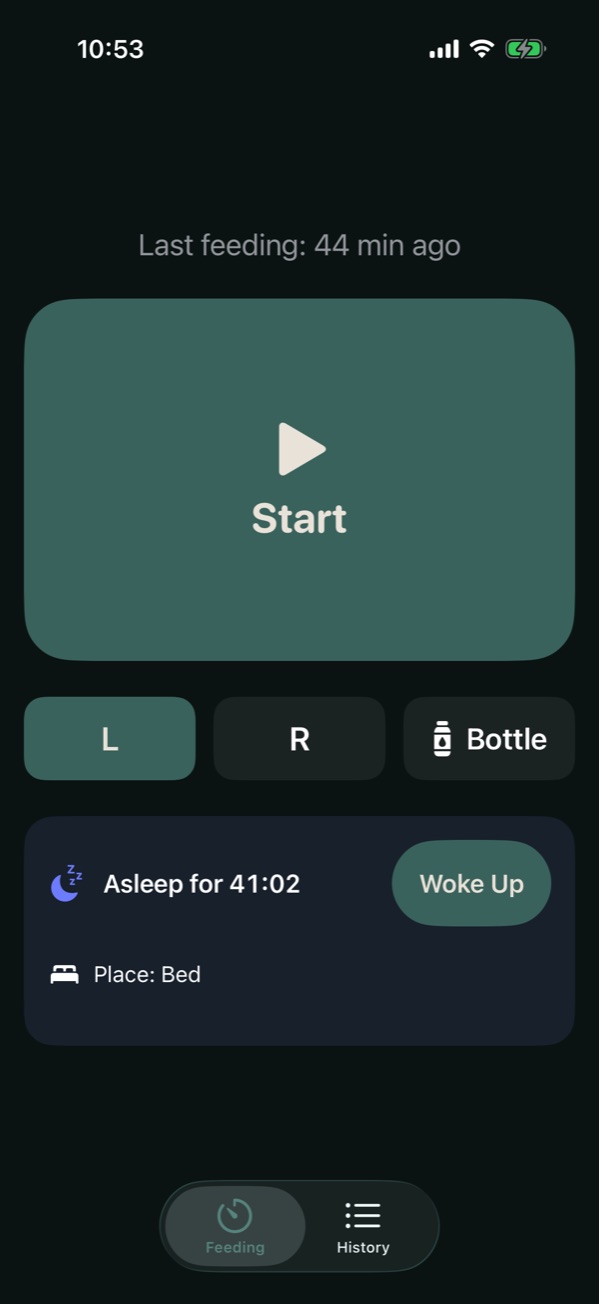
  • Sleep: “Awake for …” and “Asleep for …”, optionally with a place
  • “Fell Asleep?” starts sleep right after a feeding
  • Eight color themes, including “Night Light” without blue tones
Apple Watch

  • Standalone Watch app, works without your iPhone nearby
  • Its own page for sleep
  • Log bottles, amount via the Digital Crown
  • Complications for feeding and sleep
  • Haptic feedback on start and stop

Live Activity and widgets

The timer keeps running on the Lock Screen and in the Dynamic Island, with a stop or “Woke Up” button. Home Screen widgets show the last feeding and how long your baby has been awake.

Siri and Control Center

Controls for Control Center, the Lock Screen and the Action button. Siri understands phrases like “Start feeding with Mamalog”, “Log bottle with Mamalog” or “Baby is asleep in Mamalog”.

Sync through iCloud

iPhone and Apple Watch sync through your private iCloud. There is no account and no server run by the developer, and the app works offline too.

History and export

  • History by day with duration, side, amount and interval
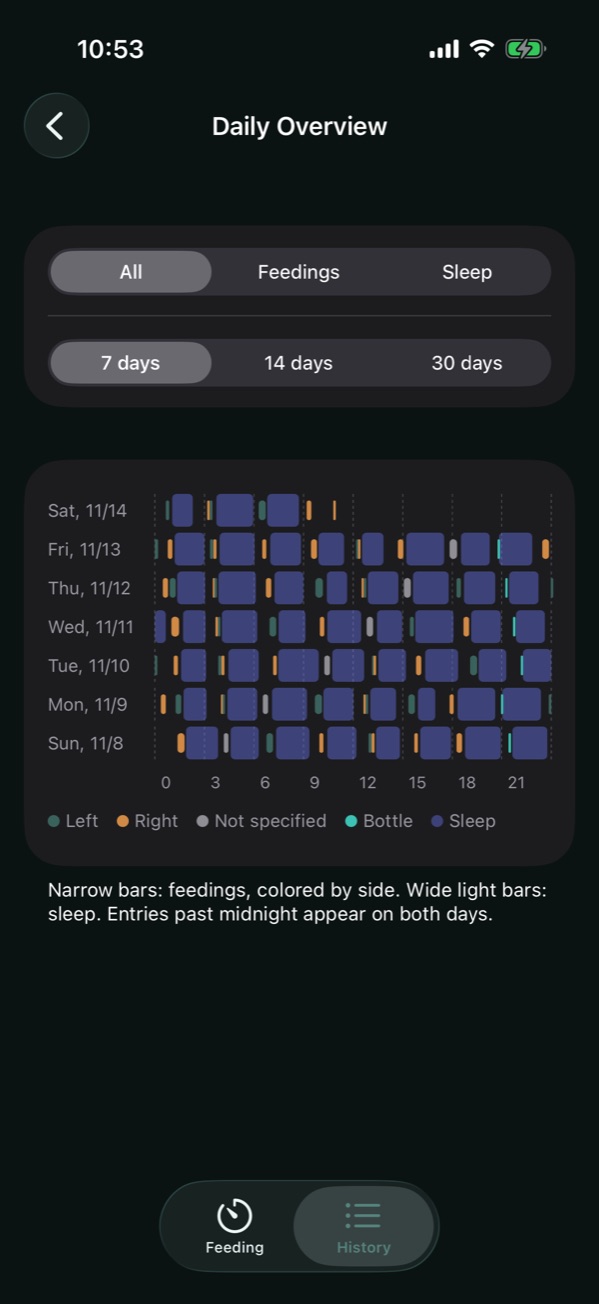
  • Daily overview chart for 7, 14 or 30 days
  • A reminder when you forgot to stop, and “Resume” after stopping by accident
  • Export as a CSV file
Screenshots

A look at Mamalog

The main screen during a feeding, logging a bottle, the sleep bar below the button, and the daily overview across a week.

Main screen: a running feeding, side selection and “Awake for …”
Main screen
Logging a bottle: quick amounts, contents and time
Bottle
Main screen: “Asleep for …” with place and a “Woke Up” button
Baby asleep
Daily overview: breastfeeding, bottles and sleep as bars across seven days
Daily overview
Help

Frequently asked questions

Can’t find your question? Just send me an email.

How do I log sleep?

Below the feeding button you see “Awake for …” or “Asleep for …”. “Asleep” starts sleep, “Woke Up” stops it; adding a place is optional. After you stop a feeding, “Fell Asleep?” appears briefly – one tap starts sleep from the end of the feeding. On Apple Watch, sleep has its own page (swipe up).

Why wasn’t my entry saved?

Feedings and sleep shorter than 10 seconds are discarded when stopped, so accidental taps don’t end up in your history. You can add short entries manually via “+” in the history.

iPhone and Apple Watch show different data.

Both devices must be signed in to the same iCloud account with iCloud enabled. Syncing can take up to a minute; open the app on both devices to trigger it.

The history says “Started twice – please review”.

The feeding was started on both devices at almost the same time. Mamalog keeps the earlier start. Swipe left to delete the duplicate or right to keep it.

The Live Activity doesn’t appear.

Check that Live Activities are turned on under Settings → Mamalog. If you start on Apple Watch, the Live Activity appears on iPhone once you open the iPhone app.

How do I add the control to Control Center or the Action button?

Open Control Center → “+” at the top left → “Add a Control” → Mamalog “Feeding” or “Sleep”. For the Action button: Settings → Action Button → Controls → Mamalog “Feeding” or “Sleep”.

Siri doesn’t understand me.

Try “Mamalog start feeding”, “Start feeding with Mamalog”, “Baby is asleep in Mamalog” or “Baby woke up in Mamalog”. On Apple Watch the exact wording matters; the first time, the watch asks whether to turn on Mamalog shortcuts.

How do I export my data?

History → share icon at the top left. The CSV file contains feedings and sleep with type (feeding/sleep), start, end, duration, side, side switch, breast or bottle, amount in ml, contents, place, interval or awake time before, and note.

Contact

Contact and legal notice

Information pursuant to § 5 of the German Digital Services Act (DDG).

Provider

Alexander Kune
Wählingsweg 12a
22459 Hamburg, Germany

Email

alexander@kune.de Questions, bugs and suggestions about Mamalog

Mamalog is a logging tool and does not replace medical advice from a midwife, lactation consultant or doctor.